
Google for Education hosted their premiere event, “The Anywhere School” this week to share new updates, changes and integrations within its suite of products. They announced over 40 updates to Classroom, Meet, Workspace, Chrome and Chromebooks. Here’s a brief summary of the biggest updates:

First up, were lots of new updates for Google Classroom and Google Meet, which I think is awesome for schools that utilize these products. (My district is not one of them). I’ve heard from teacher friends some of their frustrations with certain features within both of these products, so I imagine they are going to be excited. These features include:
For Education Fundamentals (the free version)
- Schedule assignments to multiple classes, which can be done by both teachers and co-teachers
- Measure student engagement activity, see when students submitted work or participated in the class through comments
- Safer Google Classroom experiences with Google Meet, with co-teachers automatically added as co-hosts in the meeting and guests outside the class roster will have to “ask to join”
- Pin Content in Meet, to see your presentation content and students at the same time and other tiles to customize what you want to focus on
- Closed captions in additional languages in Meet: to include English, French, German, Portuguese, and Spanish
For Teaching & Learning Upgrade and Education Plus (the paid versions)
- Classroom add-ons, with integrations to other tools outside Google Classroom
- Import Rosters in Google Classroom, allowing Google admins to automatically set up classes and sync with their Student Information System
- Live Translated Captions in Google Meet
- Public live streaming in Google Meet, that anyone outside of your school domain can attend, making it easier to host school board meetings and school events
Next up was Google Workspace (formerly G Suite), which includes Docs, Sheets, Slides, Forms, Sites, and Jamboard. My district does use this, specifically the Education Fundamentals package, so this was the big attraction for me! These updates include:
For Education Fundamentals
- Smart Chips in Google Docs, which allow users to add links to other Google documents or tag others within the document (see below)
- Checklists in Google Docs, (which I’ve already used!) Make actual checklists to help organize students. Users can add actual checks to the box and the item will be crossed out and grayed out once completed
- Topic Voting Table Templates in Google Docs, from right within a Doc that lets you easily gather feedback from students (see below)
- Simplifying settings in Google Forms, as settings will be displayed at the top within a tab,
- New fonts in Google Forms
- Autosave in Google Forms, which will automatically saving your draft responses for 30 days


For Education Standard, Teaching & Learning Upgrade and Education Plus
- Writing Tips in Google Docs, with stylistic suggestions and warnings about offensive words and language
- Assisted Formula Analysis in Google Sheets, with formula suggestions
- Google Drive labels, to classify files and set up data loss prevention rules according to classifications
And finally were the updates to Chrome and Chromebooks. Rising 9th graders in my district, as well as new students will have Chromebooks next year, so this is a perfect time to learn new updates:
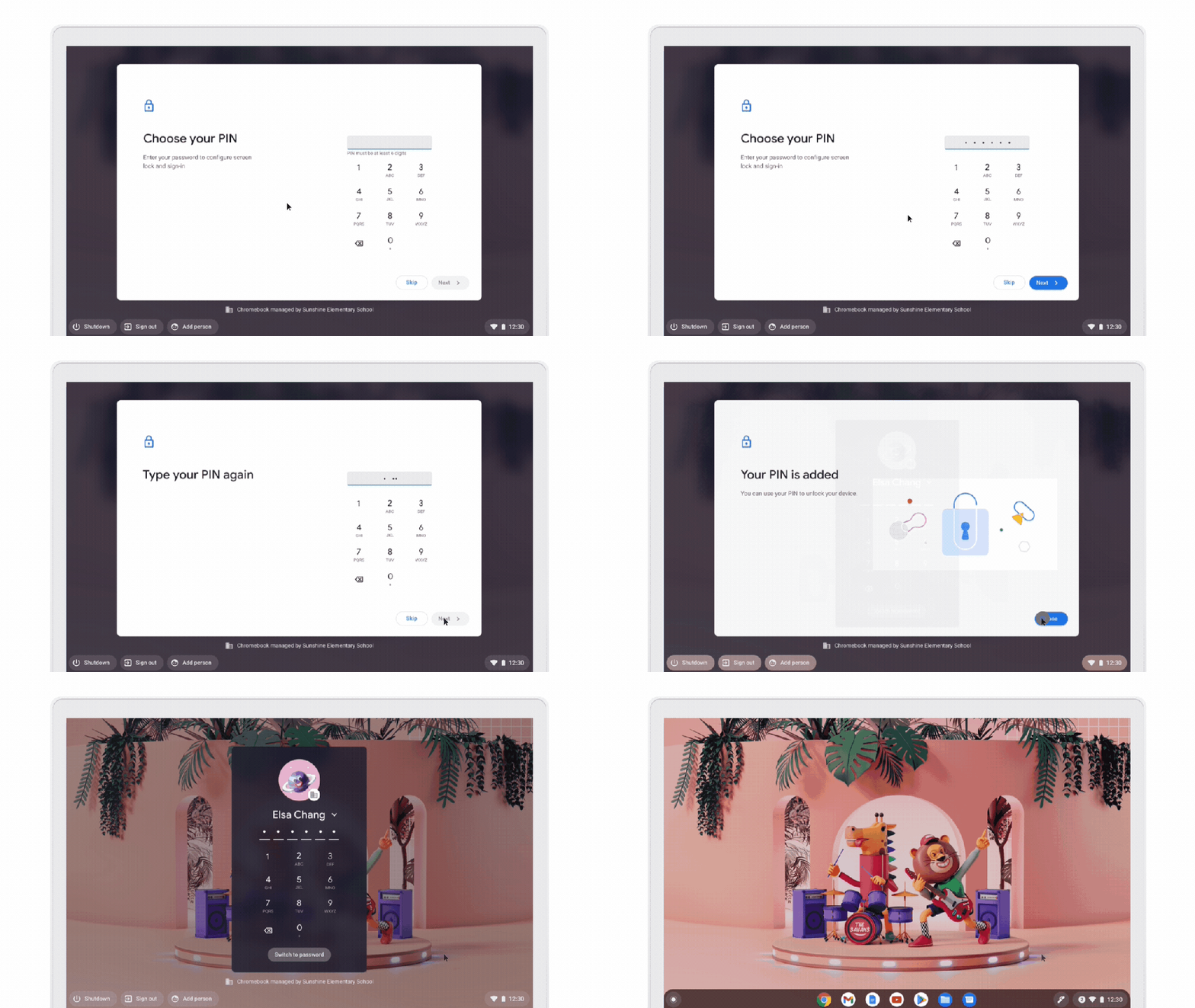
- Use a 6 digit pin, instead of passwords, which will be easier for younger students, including our
Pre-K students, ESOL and Adaptive Ed students (see below) - New panning method to full screen magnifier, which will keep the mouse centered on the screen and have the viewport pan as you move the mouse (see below)
- ChromeVox tutorials, with a quick orientation for new users, and a practice area with short lessons

If you would like to see all the new feature releases, you can view the entire event here.
Which new features are you most looking forward to?
 Ms Priester EDU